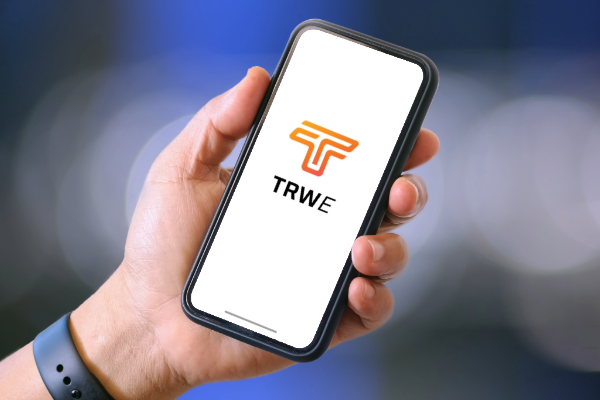
Seamless Wireless Reporting with the Tempo Report Writer Enhanced (TRWe)

With the TV220E/EX, you can save result files. If you have access to an Android or iOS phone or tablet, or a Windows PC, you can wirelessly add these saved files to a report. You can annotate markers, add more information, include job details, and then create PDF files. These PDFs can be uploaded to your preferred cloud storage, be it iCloud, OneDrive, or Google Drive. Additionally, you can easily share them using messaging apps on your device. This way, you can complete annotated reports, seek advice from colleagues, or add them to invoices at job completion—all before leaving the site.

Windows: Download from the Microsoft Store.

Android: Download from Google Play.

Apple iPhone or iPad: Download from the Apple App Store

Javier Villalba

Related Articles

Tempo Articles

Line Locators: Application & Usage Guid

A comprehensive guide to selecting and using Tempo electromagnetic line locators for pinpointing buried utilities across the United States step-by-step setup, peak vs. null modes, and best practices.
Tempo Articles

What Tempo Communications is bringing to BICSI Winter 2025

Tempo Communications is thrilled to showcase a selection of cutting-edge tools at BICSI Winter 2025, crafted for professionals in fiber optic installations, testing, and maintenance.
Tempo Articles

How Tempo Communications Utilizes AI to Foster Growth

AI revolutionizes marketing at Tempo®, boosting efficiency, innovation, and competitiveness. Tempo uses AI for product innovation, content creation, and customer engagement, driving growth and global ...

30 Day Guarantee

Lorem ipsum dolor sit amet, consectetur adipiscing elit. Nam lobortis sem sed urna tempor efficitur.

Forever Warranty

Lorem ipsum dolor sit amet, consectetur adipiscing elit. Nam lobortis sem sed urna tempor efficitur.

FREE Shipping

Lorem ipsum dolor sit amet, consectetur adipiscing elit. Nam lobortis sem sed urna tempor efficitur.